Introduction
AWS Lambda’s scalability and flexibility make it a powerful tool for developers — but without careful cost management, your cloud bill can spiral out of control. Optimizing Lambda costs requires strategic adjustments that improve efficiency without sacrificing performance. In this guide, we’ll explore five actionable strategies to help you reduce your AWS Lambda expenses in 2025. So let’s begin.

1. Optimize Function Memory Allocation
Why It Matters: AWS Lambda pricing is calculated based on allocated memory and execution duration. Choosing the wrong memory size can dramatically affect costs. Allocating too little memory can result in longer execution times, while over-allocating memory may waste resources.
How AWS Charges: AWS Lambda bills you in gigabyte-seconds (GB-seconds). The larger your allocated memory and the longer your function runs, the higher the cost. Even seemingly minor differences in memory settings can compound significantly over multiple invocations.
Steps to Optimize Memory Allocation:
- Use AWS Lambda Power Tuner: AWS Lambda Power Tuner helps determine the best balance between memory size and execution time. By analyzing your function’s performance under various configurations, Power Tuner recommends the most cost-effective settings.
- Balance Memory vs. Execution Time: While increasing memory allocation may seem costly, it can often reduce execution time enough to make your overall cost lower. For instance, doubling your memory might halve your function’s duration, resulting in the same total cost but improved performance.
- Test Multiple Configurations: Don’t rely on guesswork — test various configurations to find the optimal balance. Tools like AWS CloudWatch Logs can provide insights into your function’s duration, helping you refine memory settings.
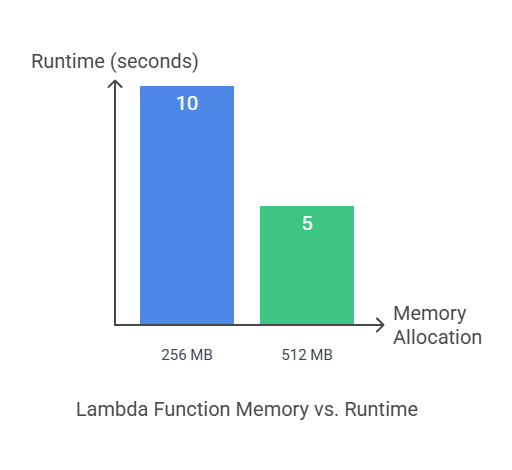
Example: A Lambda function initially set to 256 MB may take 10 seconds to execute. By increasing the memory to 512 MB, the function’s runtime might reduce to 5 seconds — cutting overall costs by improving efficiency.
Below Chart shows how it can improve Cost just by tuning some memory.
2. Reduce Execution Time with Efficient Code
Why It Matters: Execution time is a direct cost factor in AWS Lambda. Poorly optimized code leads to prolonged runtime, inflating costs unnecessarily.
Code Optimization Techniques:
- Minimize Dependencies: Unnecessary dependencies increase cold start times and overall function size. Use tools like
aws-lambda-size-optimizationorwebpackto bundle and minimize your code size. - Refactor Code for Performance: Review your codebase for redundant logic, inefficient loops, or excessive API calls. Consolidating logic and reducing unnecessary steps can reduce runtime significantly.
- Use Async/Await for Parallel Execution: Async programming techniques enable Lambda functions to handle concurrent requests faster, reducing delays caused by I/O operations. For example, using
async/awaitwhen calling multiple APIs can improve efficiency. - Optimize Database Queries: Database calls are a common bottleneck in Lambda functions. Using efficient querying techniques, adding appropriate indexes, and batching queries can reduce latency and improve performance.
Example: Suppose your Lambda function iterates over 10,000 records with individual database calls. Like shown in below code.
import boto3

dynamodb = boto3.client('dynamodb')

def process_records(records):
    for record in records:
        dynamodb.put_item(
            TableName='RecordsTable',
            Item={'ID': {'S': str(record['id'])}, 'Data': {'S': record['data']}}
        )

# Example usage
records = [{'id': i, 'data': f'data_{i}'} for i in range(10000)]
process_records(records)
Let’s see issues with above code which impact our Lambda Function’s Cost
- 10,000 Separate Database Calls – Increases network latency.
- Higher Execution Time – Each call introduces overhead.
- Cost – More requests result in more expense in API costs.
Now, Let’s refactor it to batch process as shown below
import boto3

dynamodb = boto3.client('dynamodb')

def process_records(records, batch_size=25):
    for i in range(0, len(records), batch_size):
        batch = records[i:i + batch_size]
        dynamodb.batch_write_item(
            RequestItems={
                'RecordsTable': [
                    {'PutRequest': {'Item': {'ID': {'S': str(record['id'])}, 'Data': {'S': record['data']}}}}
                    for record in batch
                ]
            }
        )

# Example usage
records = [{'id': i, 'data': f'data_{i}'} for i in range(10000)]
process_records(records)
Let’s summarize improvements by using above code.
- Reduces Database Calls – Only 400 calls (instead of 10,000) with batches of 25.
- Improved Performance – Lower latency and faster execution.
- Cost Efficiency – Fewer requests result in reduced API costs.
3. Implement Provisioned Concurrency Wisely
Why It Matters: Provisioned Concurrency ensures that your Lambda function instances are kept warm and ready to handle incoming requests immediately. While this minimizes latency, Provisioned Concurrency comes with additional costs — so strategic implementation is crucial.
When to Use Provisioned Concurrency:
- Latency-Sensitive Applications: For applications that demand fast response times, such as payment processing or real-time user interactions, Provisioned Concurrency prevents cold starts.
- Predictable Traffic Patterns: Provisioned Concurrency is ideal for applications with consistent or predictable workloads, like scheduled batch processing or API services during peak hours.
Managing Provisioned Concurrency Effectively:
- Auto-Scaling Policies: Avoid over-provisioning by setting up auto-scaling configurations. This ensures you only pay for Provisioned Concurrency during peak demand.
- Scheduled Provisioning: If your workload spikes during specific hours, configure Provisioned Concurrency to activate only when needed, reducing unnecessary costs.
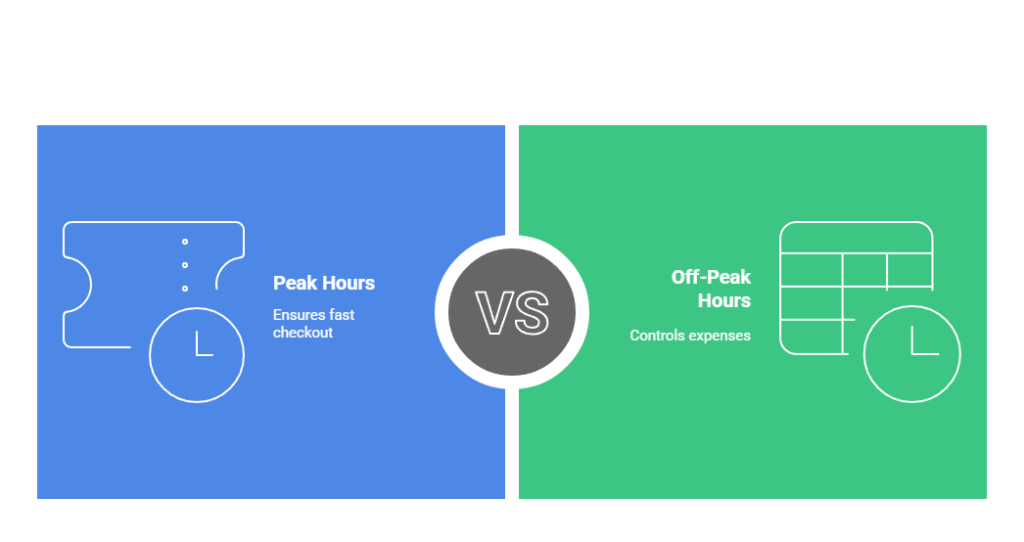
Example: An online ticket booking platform may require Provisioned Concurrency for peak hours (e.g., 6 PM to 10 PM) to ensure a fast checkout process. Outside these hours, reducing Provisioned Concurrency can help control expenses.
4. Use AWS Lambda@Edge for Cost Optimization
Why It Matters: Lambda@Edge enables developers to run code at AWS CloudFront edge locations worldwide. By processing requests closer to the end user, Lambda@Edge reduces latency and minimizes the load on your origin server, potentially lowering costs.
Best Use Cases for Lambda@Edge:
- Content Delivery Optimization: Improve performance by modifying HTTP headers, URL redirects, or compressing files before they reach the origin server.
- Dynamic Content Personalization: Lambda@Edge enables personalized content delivery by modifying requests based on geographic data or user preferences.
- SEO Improvements: You can add metadata, create custom URLs, or generate dynamic sitemaps for improved search engine visibility.
Steps to Implement Lambda@Edge:
- Deploy your function using Amazon CloudFront triggers (Viewer Request, Origin Request, Viewer Response, Origin Response).
- Configure Lambda@Edge to modify requests and responses before they reach the backend, reducing server costs.
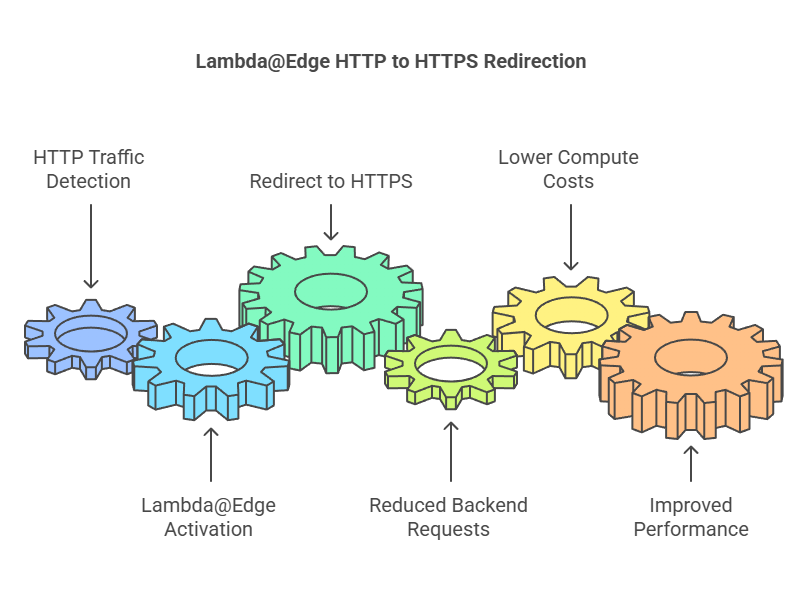
Example: A global e-commerce platform using Lambda@Edge to redirect HTTP traffic to HTTPS at the edge network reduces backend requests, lowering compute costs and improving performance.
5. Monitor and Analyze Lambda Usage
Why It Matters: Unmonitored Lambda functions can accumulate unexpected costs through inefficient code, excessive invocations, or prolonged execution times.
Using AWS CloudWatch for Insights:
- Enable CloudWatch metrics to track key parameters like invocation count, duration, memory usage, and error rates.
- Create CloudWatch alarms that notify you of unusual spikes in costs or performance bottlenecks.
Leveraging AWS Cost Explorer:
- Use Cost Explorer to analyze your AWS Lambda expenses over time.
- Filter by service, function name, or resource type to identify costly patterns.
Steps to Improve Monitoring:
- Enable X-Ray Tracing: AWS X-Ray provides detailed insights into your function’s execution path, helping you identify inefficient processes.
- Audit Execution Logs: Regularly review your CloudWatch logs for potential performance issues or inefficiencies.
Conclusion
Let’s recap the important points we’ve covered.
- Optimize Memory Allocation: Adjust memory settings to balance performance and cost.
- Improve Code Efficiency: Write optimized code to reduce execution time.
- Use Provisioned Concurrency Wisely: Enable it only for functions needing consistent performance.
- Leverage Lambda@Edge: Distribute workloads closer to users to improve latency and reduce costs.
- Monitor Usage Actively: Track and analyze usage patterns to avoid unexpected costs.
We’ve explored valuable insights, practical strategies, and essential techniques to enhance your understanding. By applying these takeaways, you can improve efficiency, reduce costs, and achieve better results in your projects.
Stay ahead of your AWS Lambda costs and unlock significant savings with these proven strategies.
What Next
Start your optimization journey today by:
- Using AWS Lambda Power Tuner to identify ideal memory configurations.
- Setting up CloudWatch Insights for real-time performance monitoring.
- Downloading our free “AWS Lambda Cost Optimization Checklist“ to stay on top of best practices.
💬 Get involved in the discussion! If you have questions or want to share your experience with AWS Services, drop a comment below. Your insights can help others and spark meaningful conversations in the community. Let’s learn and grow together!
Explore my other articles on DevOps and Cloud for more insights, tips, and tutorials. Stay informed and enhance your skills with practical content designed to boost your knowledge. Happy learning!